

Quote request - Business
You are a business customer (company, administration, association…) and would like to receive a quote before ordering? Here is the step-by-step procedure.
1. Creating your account
You don't have an account yet
- Create your account with your business email address.
- Contact our customer service to have your account set up as "Business" (essential to access quote requests).
Tip: if you already have an account created with a personal address, contact us: we will advise you on the best solution.
Your business account is already created and validated
You can proceed directly to preparing your basket.
2. Preparing your basket
- Add your products to the basket as you would for a standard order.
- If you already have a list of references / product names, you can use our „quick order entry" tool → Quick order form
3. Request a quote from the basket
- Go to your basket once completed.
- Click on the „Request a quote" button.
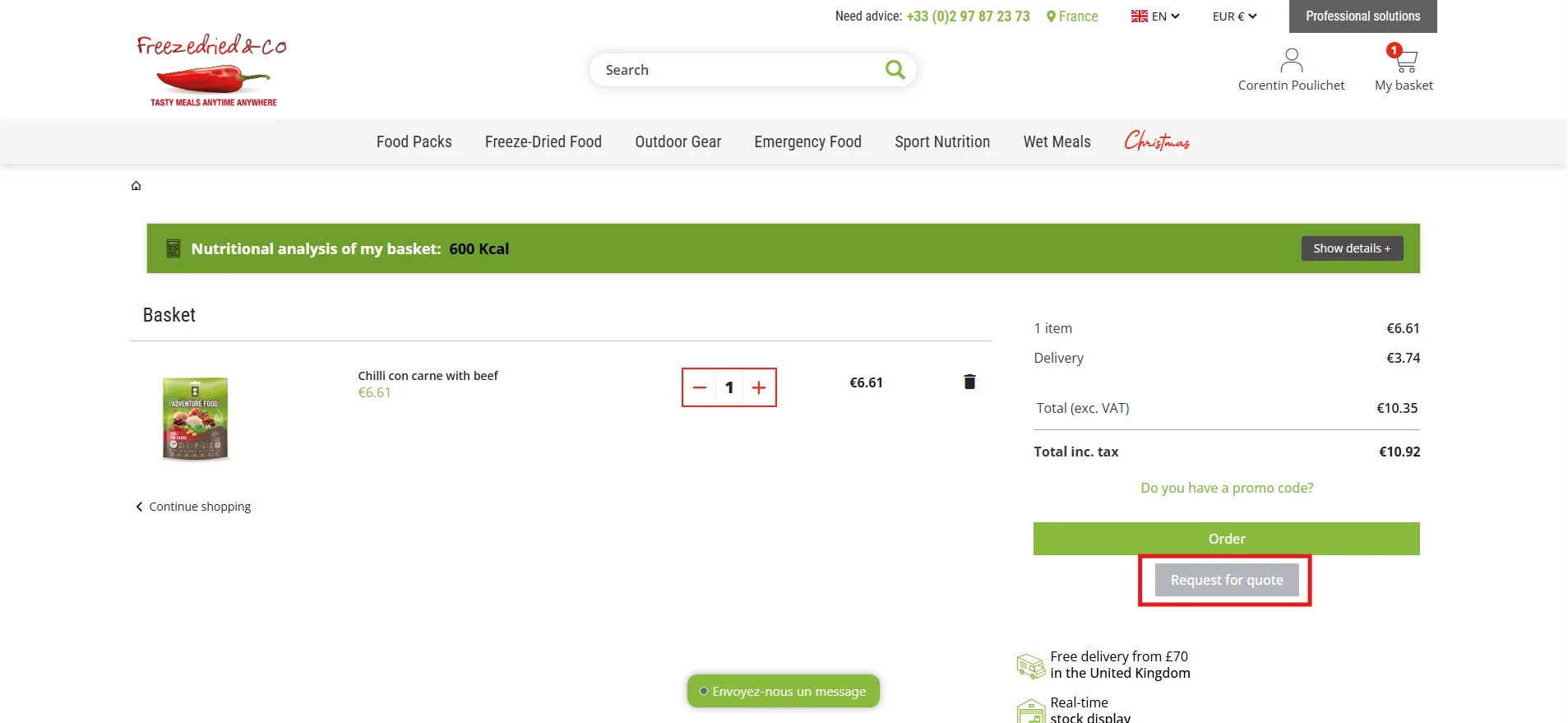
You will be redirected to the quote creation page. You will need to complete:
- The desired carrier
- The delivery or billing address
- A note (optional: deadlines, constraints, internal references, etc.)
Click on „Save quote" to submit your validation request.
4. Receipt and tracking
Our team will contact you by email with the quote attached.
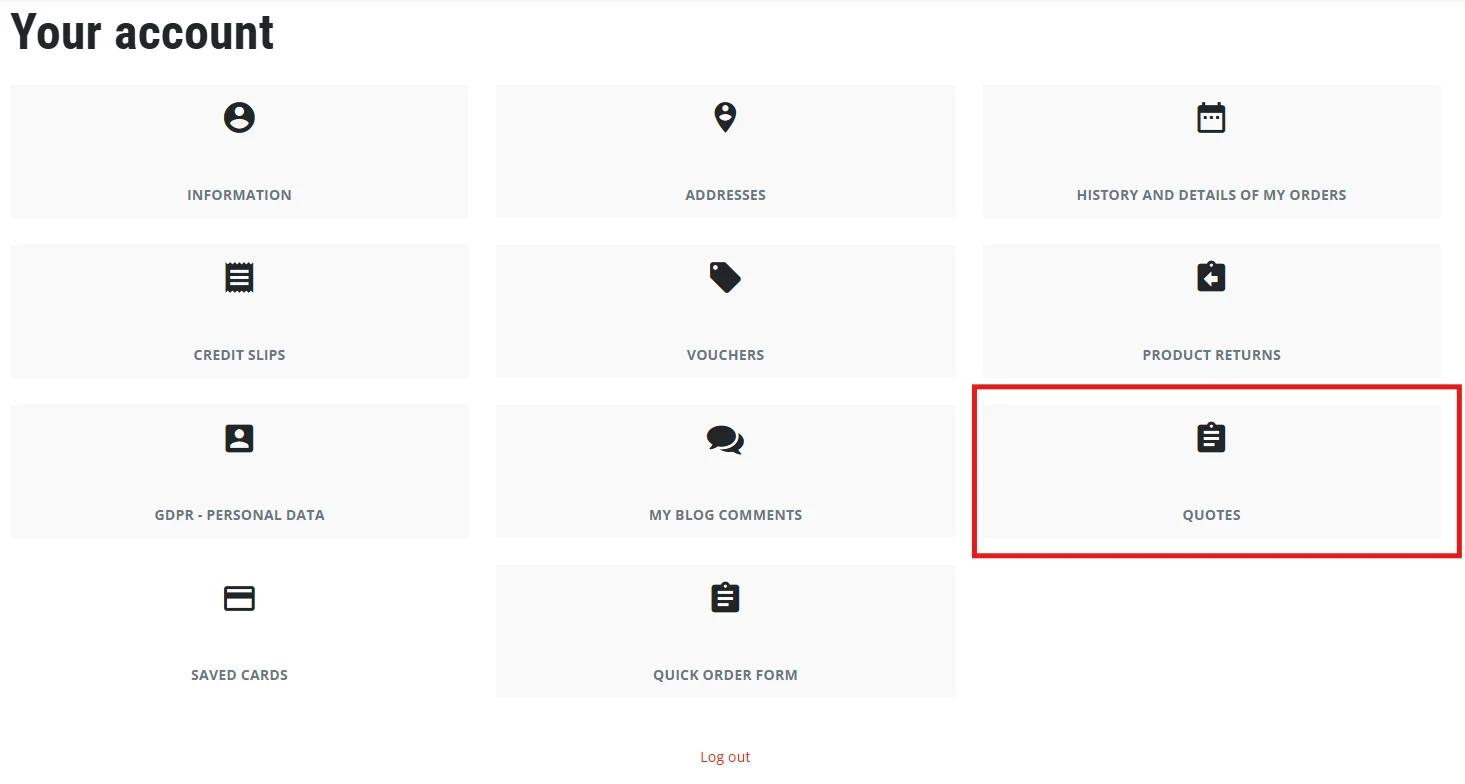
If you have no particular requests, you can also access your quote online and download it as a PDF via: My account → Quotes → Download PDF
5. Convert a quote into an order
From your quote, click on „Details", then on „Order this quote" to convert it into an order.

6. Special cases: product not found or not orderable on the website
If you cannot find a product or an item appears as non-orderable (stock issue / availability), you can also use the Contact form.
Need help?
Our customer service is available to:
- Set up your account as a business profile
- Assist you with a quote request
- Check availability / lead time / product alternative